

AdsTurboAdsTurbo
Home
Solution
Ad Clone
URL to Video
Motion Control
Lip Sync
Product Video
Character Swap
Video Translation
Video Analysis
Video Upscaling
Watermark Removal
AgentJoin nowBlogAffiliateAPI加入 Discord
Ad Clone
Clone viral ads and recreate winning structures for your brand
URL to Video
Convert any product URL into a professional video ad
Motion Control
Add professional motion effects and camera movements
Lip Sync
Perfect lip synchronization for realistic talking heads
Product Video
Create UGC-style product videos from images
Character Swap
High-fidelity face swap for video characters
Video Translation
Translate videos to any language with AI dubbing
Video Analysis
AI-powered breakdown of ad creative elements
Video Upscaling
Enhance video resolution with AI upscaling
Watermark Removal
Remove watermarks and logos from videos
AdsTurboAdsTurbo
AI-powered ads, turbocharged growth.
InstagramX (Twitter)YouTubeTikTokDiscord
Solution
Ad Clone
URL to Video
Motion Control
Lip Sync
Product Video
Character Swap
Video Translation
Video Analysis
Video Upscaling
Watermark Removal
Company
About Us
Blog
Terms of Service
Privacy Policy
Affiliate
API
Pricing
Compare
vs AKOOL
vs PixVerse
vs Pollo AI
vs Icon
vs Higgsfield
vs HeyGen
vs MakeUGC.ai
vs AdCreative.ai
vs Topview AI
vs Arcads AI
vs Creatify AI
Back to Blog
AdsTurbo/Blog/AdsTurbo vs imagine.art: Which AI Video Tool Wins for Performance Ads in 2026?
AdsTurbo vs imagine.art: Which AI Video Tool Wins for Performance Ads in 2026?
Product GuidesMay 14, 2026·8 min read

AdsTurbo vs imagine.art: Which AI Video Tool Wins for Performance Ads in 2026?

Choosing between AdsTurbo and imagine.art for your video ads? This deep dive compares their features, pricing, and performance to help you decide.

AdsTurbo Team
AdsTurbo Team
Content Team

AdsTurbo vs imagine.art: Which AI Video Tool Wins for Performance Ads in 2026?

By the AdsTurbo Performance Team · Last updated May 13, 2026 · 8 min read

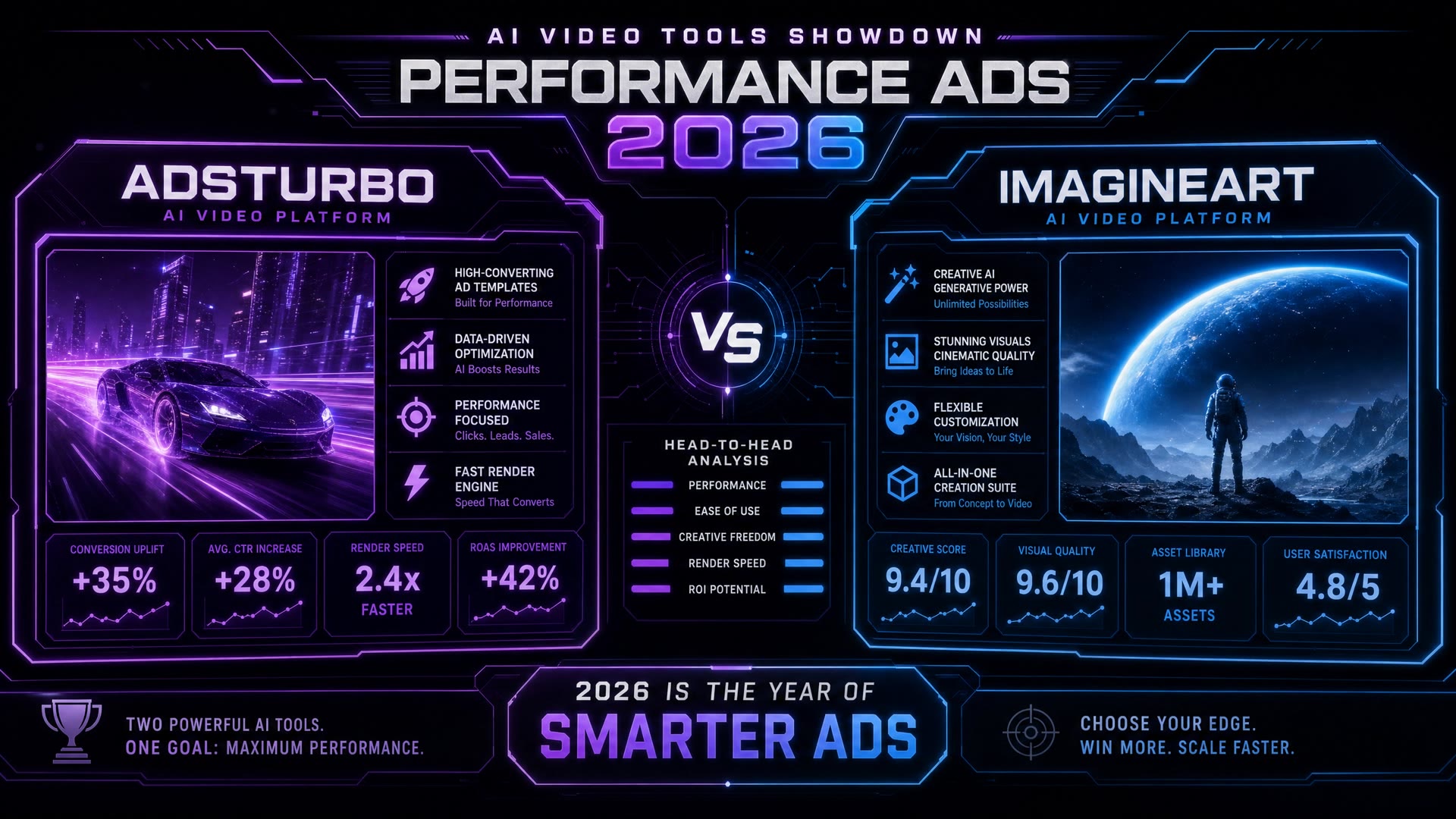
Looking for an imagine.art alternative built specifically for paid video ads? You're in the right place. Both platforms generate AI video, but they're optimized for completely different jobs. AdsTurbo is built for marketers running paid ads on Meta, TikTok, and YouTube. ImagineArt is an all-in-one creative platform spanning image, video, music, and voice generation across 16+ models. This page compares them head-to-head so you can pick the right tool for your workflow — not the one with the longest feature list.

Try AdsTurbo Free →

Quick Verdict: Choose by Your Workflow, Not by Feature Count

The honest answer is that neither tool is "better." They solve different jobs.

Pick AdsTurbo if:

  • You run paid video ads on Meta, TikTok, YouTube Shorts, or Pinterest as your primary growth channel
  • You need URL-to-Video, Ad Clone, and a built-in Hook → Body → CTA structure that paid social actually rewards
  • Speed of creative iteration — and the ability to bulk-process variations — matters more than model variety
  • Your team is structured around media buying, performance marketing, or growth

Pick ImagineArt if:

  • You produce mixed creative content — image, video, music, voice — across multiple use cases (paid ads, brand films, art, music videos, creator content)
  • You want a multi-model sandbox with 16+ AI models including Veo 3.1, Sora 2 Pro, Kling 3.0, Runway 4.5, Nano Banana 2, and GPT Image 2 on tap
  • Your work spans agencies, individual creators, designers, hobbyists, and marketers
  • Model experimentation and creative exploration are part of the value, not just the output

Both platforms generate AI video. The right choice depends on what comes after generation — campaign delivery (AdsTurbo) or creative exploration (ImagineArt).

AdsTurbo vs imagine.art at a Glance

DimensionAdsTurboimagine.art
Core positioningThe #1 AI Video Engine for MarketersAll-in-one AI creative platform ("Endless Possibilities")
Primary audienceGrowth teams, agencies, e-commerce marketersCreators, designers, marketers, hobbyists, artists
Hero workflowURL-to-Video (paste link → ad ready)Pick model → describe → generate
Performance-ads structureBuilt-in Hook → Body → CTA frameworkGeneric prompt-to-output
Ad Clone (recreate winning ads)✅ Flagship USP❌ Not available
Video Analysis (AI-powered creative breakdown)✅ Flagship USP❌ Not available
AI Workflows✅ Ad-tuned templates✅ All-purpose creative workflows
AI model lineupSora 2.0, Sora 2.0 Pro, Veo 3.1, Kling 3.0, Seedance 2.0 (4–5 video models in plan)16+ models including image (Nano Banana 2, GPT Image 2, Recraft V4, Imagen V3) + video + audio
Pricing modelMonthly subscription with transparent per-second creditsMonthly subscription with bundle credits + 100 free daily
Entry tier (yearly billed)$31/mo (Creator · 1,200 credits)Pricing varies — verify on imagine.art/subscription
Best for E-commerce video ads✅ Product-focused workflows + URL-to-Video native⚠️ AI Product Video Maker exists but is general-purpose
Best for UGC-style ads✅ 300+ Natural AI Actors + Ad Clone✅ Product Review app available
Best for paid social scale✅ Bulk processing + Video Agent (Growth+)⚠️ Workflows exist, not ad-specialized
Best for art / image / music creation❌ Video ads only✅ Multi-modal flagship

Use Case Differentiation: Where Each Platform Actually Fits

Below are the five video-ads use cases marketers most commonly research before choosing a tool. For each, we lay out which platform is the natural fit — and why.

Best for Making Video Ads from Your Online Store

If your goal is to turn product pages into ads — Shopify product URLs, Amazon listings, DTC catalog pages — AdsTurbo delivers a workflow built around exactly that pattern. URL-to-Video pastes a product URL and auto-creates a performance-ready video ad with hook, body, and CTA, optimized for TikTok, Meta, and Shorts placements, which means the ad arrives publish-ready without rebuilding the brief from scratch every campaign cycle.

ImagineArt's AI Product Video Maker generates product-focused videos from product images, but it's positioned as a general product video tool, not a paid-ads workflow. There's no native URL-to-Video pattern — you upload imagery, write a motion prompt, and get a video clip. The output looks great; the workflow just isn't tuned for the paid-ads conversion path.

Verdict for this use case: AdsTurbo if you sell on Shopify, Amazon, or a DTC site and need video ads at SKU scale. See our URL-to-Video guide for the full workflow.

Best for Scaling Ad Creative Testing at Volume

Campaigns running at scale need creative refreshment before ad fatigue compounds, and the teams winning on paid social produce more variations more frequently than their competitors. AdsTurbo dominates this use case with three built-in capabilities: Bulk processing on the Growth plan ($79/mo yearly), early access to Video Agent for automated creative-set generation, and Ad Clone — which lets you recreate winning ad structures from competitor or historical creatives without rebuilding the creative brief every week.

ImagineArt offers AI Workflows for building reusable creative pipelines. They're powerful and flexible, but they're general-purpose — designed for any creative production sequence, not specifically tuned for the rhythm of paid-ad creative testing (hook variants, format variations per placement, weekly fatigue refresh). For ad-testing teams, you'd build the workflow yourself; for AdsTurbo, the workflow is the product.

Verdict for this use case: AdsTurbo if you run ≥10 ad variations per week and need bulk + automated workflow infrastructure built specifically for paid social.

Best for UGC-Style Ads Without Hiring Creators

Both platforms produce UGC-style content, but with different workflow assumptions. AdsTurbo offers 300+ Natural AI Actors specifically tuned for ad-performance contexts — creator-format video ads that perform like genuine influencer content, paired with Ad Clone for recreating the exact creator-content patterns that work in your vertical, plus AI Lip Sync for testimonial-format spokesperson ads.

ImagineArt's Product Review app generates influencer-style video ads with AI testimonials. The output is solid for UGC needs broadly — review videos, lifestyle creator content, brand testimonials — but the avatars and templates are creator-content general, not Performance Ads-optimized. If you need creator content for Instagram organic posts or YouTube creator collabs, ImagineArt fits. If you need creator-format ads tested for click-through and conversion, AdsTurbo's avatar library is built around that benchmark.

Verdict for this use case: Both work; AdsTurbo if conversion performance is the benchmark, ImagineArt if creator-content variety is the benchmark.

Best for Auto-Creating Video Ads from a Product URL

This is the use case where the gap is widest. AdsTurbo's URL-to-Video is its flagship workflow — paste a URL, the platform parses product attributes, generates the ad script (hook + body + CTA), composes the visuals, and outputs a publish-ready ad. It's a one-step ad pipeline.

ImagineArt's closest equivalent is the Image-to-Video workflow — upload product images, describe the motion, generate a clip. There's no native URL-parsing step. You'd manually save product photos, write descriptive prompts, generate, and assemble. The output quality is excellent; the workflow is just longer.

URL-to-Video dominates the e-commerce ad workflow when you have hundreds of SKUs and need ads for each one fast — something a paste-the-URL action makes operationally viable that an upload-image-and-prompt workflow does not.

Verdict for this use case: AdsTurbo. Categorically.

Best for Repurposing Existing Video Clips into Ads

Marketers sitting on libraries of past brand video, lifestyle B-roll, or customer-submitted footage need different tooling. AdsTurbo's Ad Clone, Character Swap, and Motion Control let you take an existing winning video — yours or a competitor's reference — and recreate the structure with your brand assets. The intent is performance-ad reproduction, not generic video editing.

ImagineArt's AI Video Editor handles general video editing — color grading, effects, video extension, background changes. It's a strong general-purpose editor, but it's positioned as a creative-polish tool rather than an ad-recomposition tool. If you have existing footage and want to refresh it visually, ImagineArt fits. If you have an ad that worked and want to recreate the same structure with new product attributes, AdsTurbo's Ad Clone is the targeted feature.

Verdict for this use case: AdsTurbo if reproducing winning ad patterns is the goal, ImagineArt if polishing existing creative is the goal. See How to Clone Viral Ads with AI for the AdsTurbo workflow.

Pricing Comparison

AdsTurbo and ImagineArt both run on monthly subscriptions with credit-based usage, but the price points sit in different brackets because the products solve different jobs.

AdsTurbo (precise · yearly billed):

  • Creator — $31/mo (1,200 credits/month) — entry plan with 300+ AI Actors, 100+ Product Ads Templates, 35+ languages, 2-min processing
  • Growth (Most Popular) — $79/mo (3,300 credits/month) — adds Seedance 2.0, 120s video duration, priority queue, bulk processing, Video Agent early access, Custom AI Avatar
  • Pro — $239/mo (10,500 credits/month) — adds 12% credit savings vs Creator at scale
  • Enterprise — Custom (Book A Demo) — dedicated support, API access, custom contract

Yearly billing saves 20% (2 months free).

ImagineArt (verify current pricing on imagine.art/subscription):

ImagineArt offers a tiered subscription structure — Standard, Ultimate, Creator, Teams Scale, Enterprise — with seat limits ranging from 3 to unlimited and 100 free credits per day for all users. Specific monthly pricing is updated frequently and is best confirmed on the live pricing page. ImagineArt's credit pool covers all 16+ models, so per-generation cost varies by model (e.g., Veo 3.1 consumes ~1,900 credits per video; Wan 2.6 consumes ~30 credits per video).

Industry context anchor: Traditional video ad production runs $3,000–$15,000 per single shoot, with mid-sized brands spending $40,000–$60,000 annually on production alone. Both AdsTurbo and ImagineArt collapse that to under $300/month even at scale tiers — the difference between them isn't traditional-vs-AI, it's specialist-vs-generalist.

Migration Guide: Switching from imagine.art to AdsTurbo

If you've decided AdsTurbo fits your paid-ads workflow better, here's a three-step migration that takes about a week.

Step 1 — Audit your current creative output. List every video you've generated in ImagineArt over the past 60 days. Tag each one as "paid ad" or "other content" (brand film, art, music, social organic). Only the paid-ad output migrates to AdsTurbo. The rest may be a reason to keep ImagineArt as a parallel tool — you don't have to choose only one.

Step 2 — Map your workflow to AdsTurbo features. For each paid-ad use case (URL-to-Video / Ad Clone / UGC avatars / bulk testing / video repurposing), identify the AdsTurbo equivalent. Your e-commerce product video pipeline maps to URL-to-Video. Your creator-style ads map to AI Actors + Product Showcase. Your winning-ad recreation maps to Ad Clone.

Step 3 — Run a 1-week parallel test. Generate the same campaign in both platforms — same product, same hook, same target audience. Compare three things: (1) creative quality at the paid-social bar, (2) production speed end-to-end, (3) ad performance once live. If AdsTurbo wins on all three for paid-ad output specifically, complete the migration. If ImagineArt wins on broader creative needs, keep both.

For a deeper look at performance-ads workflows, see our UGC Video Generators Review 2026 and Adsturbo vs Creatify for adjacent context.

Frequently Asked Questions

Any good tools for making video ads for my online store?

Yes — and the right tool depends on your platform and scale. For Shopify, Amazon, or DTC stores producing video ads at SKU scale, AdsTurbo's URL-to-Video is purpose-built for the e-commerce ad workflow: paste a product URL, get a publish-ready performance ad with hook, body, and CTA. ImagineArt's AI Product Video Maker generates product videos but is positioned as a general product video tool, not specifically for paid-ad delivery.

What's a good tool for auto-creating video ads?

AdsTurbo is purpose-built for this. URL-to-Video and Ad Clone both generate ads automatically from a single input (a URL or a reference winning ad). ImagineArt has powerful AI Workflows that can be configured for ad generation, but they require more setup because the platform spans every creative format, not just paid ads.

What do people use to make video ads from existing clips?

Marketers repurposing existing video typically use Ad Clone (AdsTurbo), Character Swap (AdsTurbo), or general AI Video Editors (ImagineArt's editor, Runway, Sora, Veo 3.1). Ad Clone specifically targets ad-pattern recreation — taking a winning ad's structure and rebuilding it with new product attributes. For general video polishing, ImagineArt's AI Video Editor handles color grading, extension, and effects across any clip type.

What's a good platform for making UGC-style ads without hiring creators?

Both AdsTurbo (300+ Natural AI Actors + Product Showcase + Ad Clone) and ImagineArt (Product Review app) generate UGC-style video. The difference is benchmark: AdsTurbo's avatars are tuned for ad-conversion contexts, ImagineArt's are tuned for creator-content variety. Pick AdsTurbo if your benchmark is paid-social click-through; pick ImagineArt if your benchmark is content-format breadth.

How is AdsTurbo different from imagine.art?

The shortest answer: AdsTurbo is a Performance Ads engine, ImagineArt is a multi-modal creative platform. AdsTurbo's entire workflow is built around the paid-ad lifecycle (URL-to-Video → Ad Clone → bulk variation → publish to Meta/TikTok/YouTube). ImagineArt's workflow is built around creative exploration across image, video, music, and voice with 16+ models on tap. If your job is paid social ads, AdsTurbo's specialization compounds. If your job spans paid ads + brand films + art + music, ImagineArt's breadth compounds.

Is imagine.art better for any specific use case?

Yes, in three areas. First, multi-modal creation (image + music + voice + video together) — ImagineArt's bundle is genuinely broader. Second, model experimentation — if you want a sandbox to compare Sora 2 Pro vs Veo 3.1 vs Kling 3.0 vs Seedance 2.0 on the same prompt, ImagineArt's playground is unmatched. Third, individual creators and hobbyists — ImagineArt's audience and onboarding are tuned for solo creative use, not just B2B marketing teams.

Can I use both AdsTurbo and imagine.art together?

Yes, and many teams do. A common pattern: AdsTurbo for paid-ad video production (URL-to-Video, Ad Clone, bulk testing), ImagineArt for adjacent creative work (brand films, organic social content, image campaigns, music for ad audio beds). The two platforms complement rather than compete when the workflow split is clear.

Choose the Tool Built for Your Workflow

The right tool isn't the one with the most features. It's the one whose default workflow matches the work you do every day. If that work is paid video ads at performance scale, AdsTurbo is built around exactly that workflow. If that work spans every creative format, ImagineArt is built around that breadth. Pick the one whose hero pattern matches yours.

Start Your AdsTurbo Free Trial →

Share