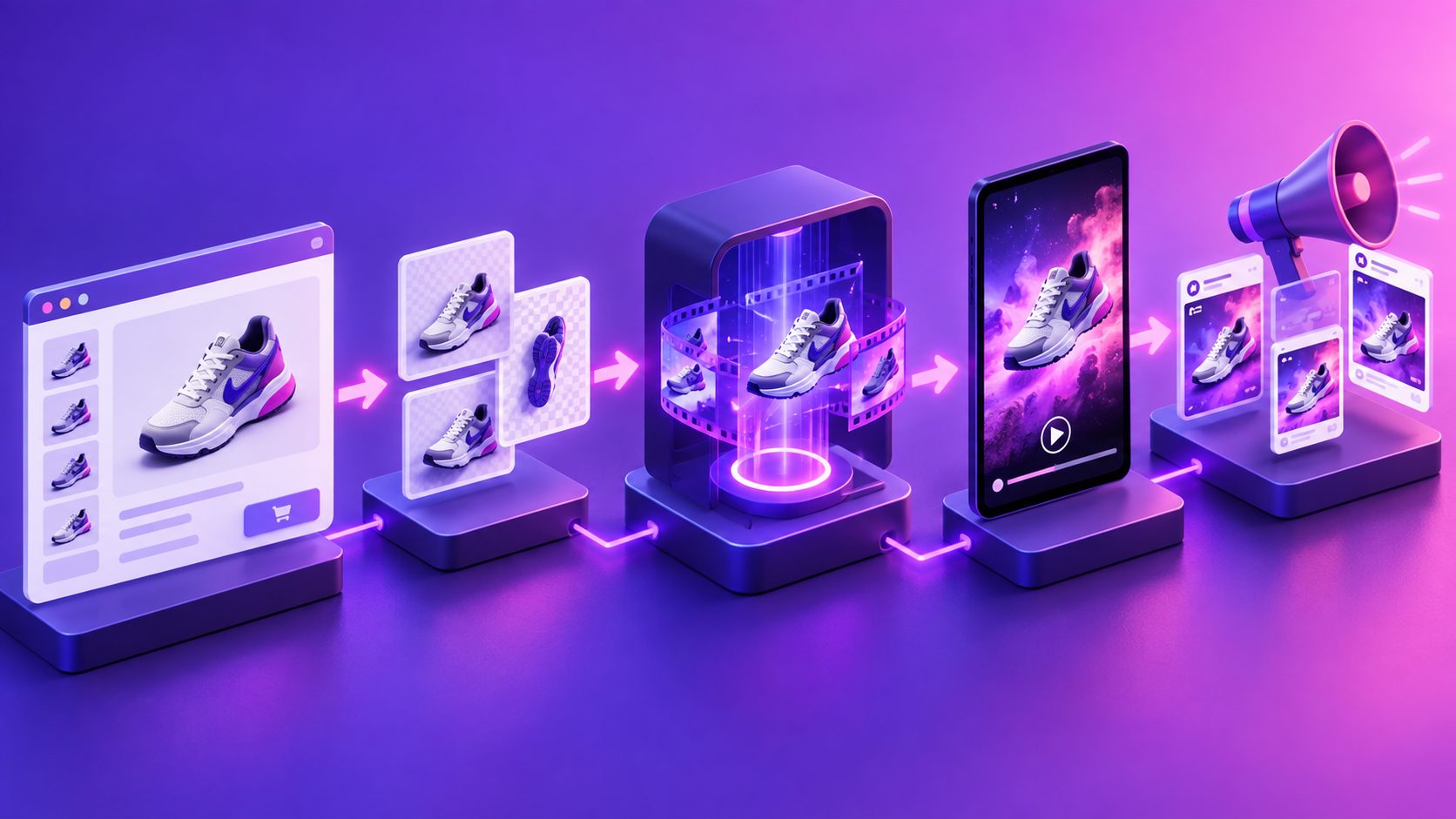
Turn Amazon Product Images into Video Ad: A 5-Part Workflow


Summarize with
Summary
Turn Amazon product images into video ad creatives with a five-part story structure for listings and Sponsored Brands. Build clearer, testable videos with AdsTurbo.
By adsturbo.ai | Published 2026-11-09 | Updated 2026-11-09
You can turn Amazon product images into video ad creative by treating your listing assets as a story system—not as a slideshow. Combine the main image, A+ Content graphics, feature callouts, product-in-use scenes, and offer details into five short narrative beats.
Amazon recommends using a clear main image, additional images that show use cases and features, and a product video to help shoppers evaluate an item. (sellercentral.amazon.com) The practical challenge is deciding which image belongs in which moment.
What is the best way to turn Amazon images into a video ad?
The best method is to convert each image into a specific job in the buyer journey: attention, problem, proof, demonstration, and action. This five-part structure is more useful than simply animating every listing image in sequence.
A typical 15–25 second Amazon product video can follow this order:
| Segment | Buyer question | Source asset |
|---|---|---|
| 1. Hook | What is this and why should I care? | Main image or strongest lifestyle image |
| 2. Problem | What frustration does it solve? | A+ comparison or pain-point graphic |
| 3. Proof | What makes it credible? | Feature callout, material detail, test image |
| 4. Demonstration | How does it work? | Product-in-use image or generated motion |
| 5. Action | Why should I act now? | Offer, bundle, benefit, or branded CTA |
This framework adds a useful control layer: every image must earn its place by advancing the decision, not merely filling a timestamp.
Step 1: Audit the Amazon image set before generating video
Start with an asset audit. Separate the listing images into five groups:
- Identity: main image, logo, packaging, product silhouette
- Benefits: feature callouts and comparison charts
- Proof: close-ups, materials, certifications, test results, or measurements
- Use: lifestyle scenes, setup instructions, and product demonstrations
- Offer: discount, bundle, seasonal message, or brand promise
Do not use every image automatically. A common failure is importing an A+ infographic with too much text and shrinking it into an unreadable video frame.
Use this decision rule:
- If an image explains a feature, animate the feature.
- If it proves a result, show the result before adding voiceover.
- If it contains dense text, extract one claim rather than displaying the entire graphic.
- If it shows the product from a useful angle, use motion to reveal that angle.
- If it is only decorative, remove it.
AdsTurbo Product Image can work with JPG or PNG product images and performs best when the product is clearly photographed on a plain background. Its product-image workflow can analyze the product’s shape, color, and category, which makes it useful for creating consistent supporting visuals rather than repeatedly prompting from scratch.
Step 2: Build the five-part narrative
1. Hook: show the product immediately
The first frame should identify the product and its category without requiring the shopper to decode a logo. Use the cleanest product image, then add restrained motion such as a push-in, rotation, or controlled reveal.
The first three seconds should answer: What am I looking at? Avoid beginning with a logo animation, long title card, or abstract background. For a Sponsored Brands video, clarity is especially important because the viewer may encounter the ad while comparing several products.
2. Problem: translate an image into a buyer tension
A product image rarely states the problem directly. The second segment should convert a visual feature into a practical situation.
For example:
- A compact storage image becomes “Limited space?”
- A waterproof-material close-up becomes “Worried about leaks?”
- A comparison chart becomes “Need a faster way to choose?”
- A before-and-after image becomes “Tired of repeating the same task?”
Keep the wording narrower than the product category. “Better quality” is weak. “Keeps cables separated in a small drawer” gives the viewer a recognizable use case.
3. Proof: spotlight one defensible claim
The proof segment should use the strongest evidence available in your listing. This may be a material close-up, measurement diagram, compatibility panel, or product detail.
Do not combine five claims in one scene. Select one claim and pair it with the image that proves it. This improves comprehension and makes later creative testing cleaner because you can identify whether the hook, proof point, or offer caused a performance difference.
4. Demonstration: create motion from still assets
Static images become more persuasive when the viewer can see sequence and function. Use a product-in-use image as the visual anchor, then add a controlled camera move or transition that explains what changes.
AdsTurbo supports product video creation from JPG or PNG product images, with optional selling points and promotional information. Its broader video toolkit also includes motion control, background replacement, subtitles, video translation, and AI upscaling.
For more complex products, split the demonstration into short clips rather than forcing one image to communicate setup, operation, and result at once. A board game gameplay video ad framework illustrates why showing the action often communicates value more effectively than listing features.
5. Action: close with a specific reason to continue
The final segment should not repeat the opening. It should tell the viewer what to do next or what benefit to remember.
Possible endings include:
- “Explore the full set”
- “See available sizes”
- “Shop the bundle”
- “Built for everyday use”
- “Compare features on the listing”
For a promotion, include only details that are accurate and approved for the campaign. AdsTurbo Event Poster supports promotional information such as discount percentages, coupon codes, event dates, and terms, making the same campaign message easier to adapt into supporting visual assets.
Step 3: Adapt one source video for two Amazon placements
An Amazon listing video and a Sponsored Brands video share product assets, but they should not have identical priorities.
| Placement | Primary job | Creative emphasis |
|---|---|---|
| Listing video | Reduce uncertainty | Product use, features, setup, proof |
| Sponsored Brands video | Earn the click | Strong hook, one benefit, clear brand cue |
For the listing, the viewer is already considering the product. Give them evidence and usage context. For Sponsored Brands, assume less attention and make the category, benefit, and brand recognizable faster.
Amazon provides separate workflows for uploading product videos through Seller Central, including video type, ASIN association, brand association, and language selection. (sell.amazon.com) Treat each exported version as a placement-specific creative, not merely a resized master.
Step 4: Add subtitles and localize the winning concept
Subtitles are valuable when the message must work with sound off or when the product benefit is easier to understand as text. Keep each caption short, high-contrast, and synchronized with the visual claim.
AdsTurbo Video Subtitle can automatically transcribe speech, generate time-synced captions, translate subtitles, and export either a burned-in video or a separate subtitle file. Subtitle layouts can be adapted for formats such as TikTok, Instagram Reels, and YouTube Shorts.
For international Amazon campaigns, localize the message rather than translating every frame literally. Keep the product name and technical specifications stable, but test different hooks based on regional shopping motivations.
A practical sequence is:
- Generate the English master.
- Identify the strongest visual claim.
- Translate the voiceover and captions.
- Review product terminology manually.
- Export versions by marketplace and placement.
- Compare performance using the same core offer.
Step 5: Create a controlled test matrix
The biggest advantage of converting listing images into video is not one finished asset. It is the ability to produce structured variations.
A useful first test matrix contains:
- Three hooks: problem-led, benefit-led, curiosity-led
- Two proof points: feature A and feature B
- Two endings: product-focused and offer-focused
- Two lengths: short cut and fuller explanation
That creates 24 possible combinations, but you do not need to produce all of them at once. Start with four versions that change only one major variable. This makes the results easier to interpret.
AdsTurbo supports ad cloning and can analyze reference ads to reconstruct their structure, pacing, shot logic, and CTA pattern. Its Ad Clone API can analyze reference videos up to 12 seconds and generate variants in parallel. Use this capability to study structure—not to copy another brand’s claims, identity, or protected creative elements.
For teams, AdsTurbo’s higher-level plans support team workflows, API access, and custom workflows. All generation tasks run asynchronously, with completion available through status polling or webhook callbacks, which is useful when a batch contains multiple language, aspect-ratio, or creative variants.
Common mistakes when converting Amazon images into video
Should every listing image appear in the video?
No. Use only images that support the narrative. Six strong assets can outperform ten unrelated frames because the viewer can follow the logic.
Can A+ Content images be used directly?
Yes, but they often need simplification. Crop out secondary information, enlarge one proof point, and rewrite long copy into a short on-screen claim.
Is a slideshow enough for an Amazon video ad?
A slideshow can work for basic product explanation, but motion should clarify the product rather than decorate it. Use movement to reveal shape, demonstrate use, compare options, or guide attention.
What if the product image is low resolution?
Improve the source before adding motion. AdsTurbo AI Upscaling can enhance low-resolution or highly compressed video output, while a clean JPG or PNG product image remains the better starting point for product-image generation.
How should the video be reviewed before publishing?
Check product accuracy, text legibility, logo treatment, claims, captions, audio, and the final CTA. Amazon’s own guidance emphasizes compliant images and clear product presentation, so creative quality cannot replace listing compliance. (sellercentral.amazon.com)
A repeatable production checklist
Before exporting an Amazon listing or Sponsored Brands video, confirm:
- The product appears clearly in the opening seconds.
- Each scene has one job.
- The main benefit is visible and stated simply.
- Proof supports the claim being made.
- A+ text has been shortened for mobile viewing.
- Captions are synchronized and readable.
- Listing and Sponsored Brands versions have different priorities.
- Product, price, discount, and compatibility claims are accurate.
- At least two meaningful creative variables are ready for testing.
The most efficient workflow is not “animate all product photos.” It is select, sequence, simplify, localize, and test. When Amazon listing images are treated as reusable evidence, a single asset library can support product-page videos, Sponsored Brands creatives, seasonal promotions, and multilingual campaigns without rebuilding the entire production process.