Cash on Delivery Checkout Explainer Video Ad: A Refusal-Reduction Guide

Summarize with
Summary
Learn how to create a cash on delivery checkout explainer video ad that clarifies price, delivery, payment, and order confirmation. Build clearer COD campaigns with AdsTurbo.
By AdsTurbo Team | Published 2026-10-31 | Updated 2026-10-31
A cash on delivery checkout explainer video ad shows shoppers exactly what they are buying, what they will pay, how delivery works, and what happens after submitting the order. For cross-border ecommerce brands, this clarity can reduce expectation gaps between the ad, a one-page checkout, and the delivered parcel.
COD campaigns should not optimize only for submitted forms. They should help generate orders that are confirmed, dispatched, accepted, and profitable.
What Is a Cash on Delivery Checkout Explainer Video Ad?
A cash on delivery checkout explainer video ad is a short product creative that explains both the offer and the COD ordering process before the customer reaches the checkout page. A useful version combines product proof, transparent pricing, delivery expectations, and a clear order action in one mobile-first sequence.
The video should answer four questions:
- What exactly am I buying?
- How much will I pay at delivery?
- When and where will it arrive?
- What must I do after placing the order?
This differs from a standard product video. A product video focuses mainly on features and benefits. A COD checkout explainer also removes operational uncertainty around payment, address submission, confirmation, and delivery.
The distinction matters because one-page checkout flows reduce navigation, but they cannot fix a mismatch between the advertising promise and the final payable amount. A Cashfree checkout demonstration, for example, shows how address selection and payment-method choice can be combined into a faster order journey, while other COD case examples emphasize the importance of showing delivery charges and the final total before submission. (cashfree.com)
What Should the Video Show Before the Checkout?
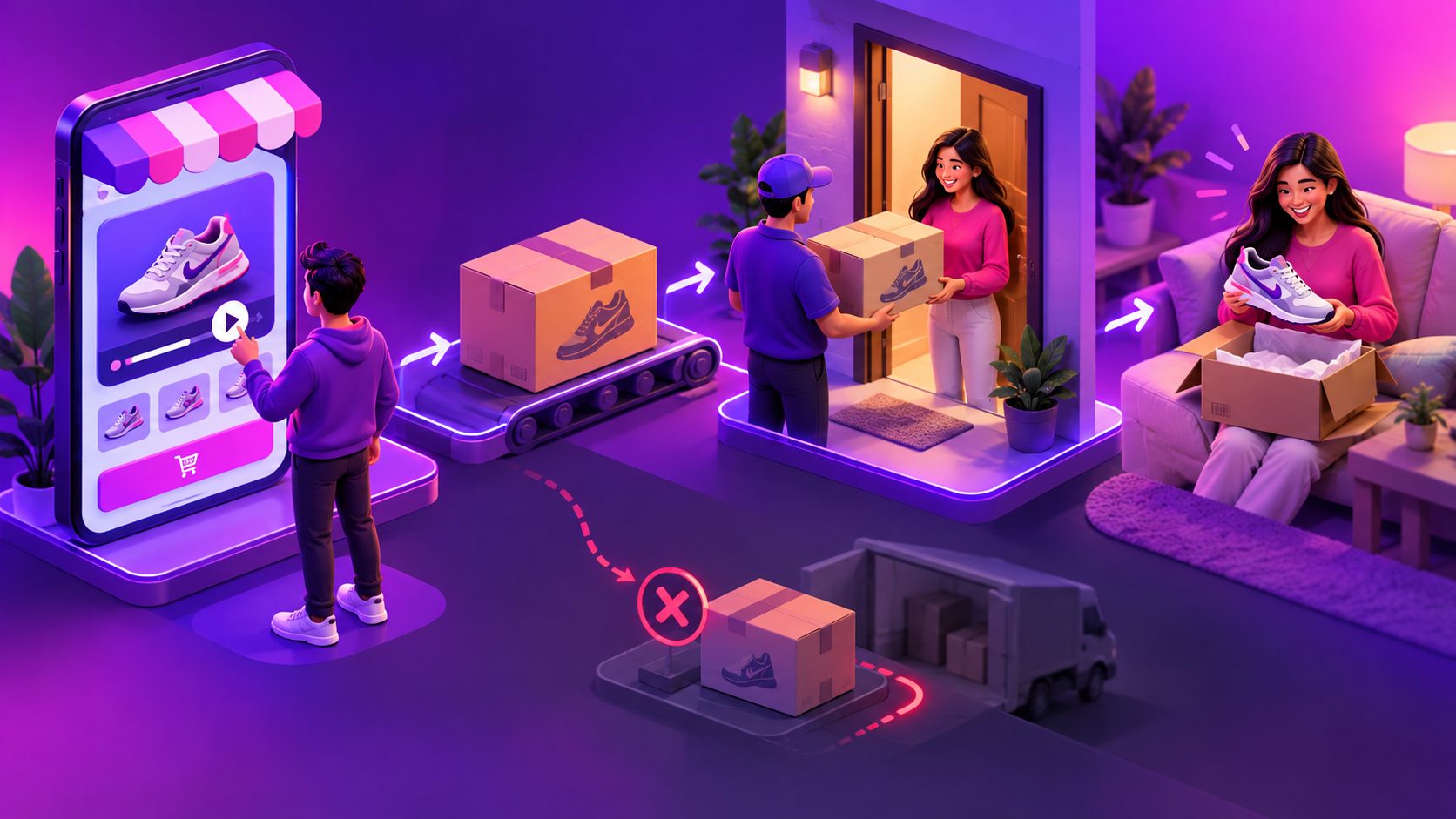
The strongest structure is a Promise-to-Parcel Map: every promise in the video should appear again in the checkout and be verified in the confirmation message.
| Customer promise | Video should show | Checkout should repeat | Confirmation should verify |
|---|---|---|---|
| Product | Exact product, variant, size, or quantity | Matching selection | Selected item and quantity |
| Price | Product price, shipping fee, and total | Final amount payable | Amount collected by courier |
| Delivery | Realistic delivery estimate and service area | Address and delivery details | Confirmed address and timing |
| Recipient action | “Pay when delivered” and next step | Specific order button | Confirmation method and availability |
A practical 15–25-second sequence is:
- 0–3 seconds: Show the product in use. Lead with the main problem or desired outcome.
- 3–8 seconds: Demonstrate proof. Show size, texture, fit, operation, contents, or an important limitation.
- 8–13 seconds: Present the complete offer. Display quantity, discount, shipping cost, and total payable amount.
- 13–18 seconds: Explain COD. State clearly that payment is made when the parcel is delivered.
- 18–25 seconds: Preview the order step. Show the short form and explain whether phone or messaging confirmation follows.
Avoid vague claims such as “easy delivery” when the customer needs a concrete delivery window, location requirement, or confirmation action.
For a more proof-focused creative system, an ecommerce FAQ video workflow can turn recurring buyer questions into short clips for the product page, retargeting ads, and checkout support sections.
How Should a One-Page COD Checkout Match the Video?
A one-page COD checkout should repeat the same product, price, delivery, and recipient information shown in the ad. The order page is not a separate persuasion experience; it is the second half of the explanation.
Use this page order:
- Product image, selected variant, and quantity
- Benefits or essential product proof
- Final product price and delivery fee
- “Pay on delivery” payment explanation
- Name and reachable phone number
- Country, region, city, street address, and landmark
- Delivery estimate and service-area note
- Confirmation notice
- A specific button such as “Order for $29 — Pay on Delivery”
Do not remove delivery-critical fields simply to make the form shorter. In many markets, a district, building number, neighborhood, or landmark may be more useful to a courier than a generic ZIP-code field.
The page should also reflect local behavior. Test right-to-left presentation for Arabic-speaking audiences, local currency formatting, country-specific address conventions, and language that distinguishes “order submitted” from “order confirmed.”
A useful rule is: reduce unnecessary fields, not necessary information.
Which Product Doubts Should the Video Resolve?
COD refusal often begins with a product expectation problem rather than a payment problem. The buyer may accept the order form but reject the parcel after discovering that the item is smaller, different, incomplete, or unsuitable.
Build the video around the most likely refusal reason:
- Apparel: Show measurements, fit, fabric, and color in ordinary lighting.
- Beauty products: Show package size, included items, texture, and realistic use.
- Electronics: Demonstrate ports, controls, power requirements, and box contents.
- Household goods: Show scale, assembly, capacity, and the real use case.
- Bundles: Display the exact number of pieces instead of relying on a product collage.
- Localized campaigns: Match spoken language, subtitles, currency, and delivery wording.
Real product evidence usually beats polished but generic footage. If a supplier video shows a different package, color, or accessory set from the parcel being shipped, it can create a conversion that later becomes a refusal.
AdsTurbo supports product video generation from JPG or PNG product images, while its video tools include subtitles, translation, lip sync, character replacement, motion control, and resolution enhancement. These capabilities can support localized variations, but the final creative still needs to match the physical product and the seller’s actual fulfillment process.
What Happens After a Customer Submits a COD Order?
A submitted COD form should trigger a confirmation workflow rather than automatic fulfillment for every order. The goal is to verify intent while keeping the process simple for legitimate buyers.
A practical sequence is:
- Send an order summary through the customer’s preferred local channel.
- Confirm the product, quantity, total payable amount, and address.
- Review invalid phone numbers, duplicate submissions, unusual quantities, and incomplete addresses.
- Release confirmed orders to fulfillment.
- Send dispatch and delivery reminders.
- Record whether an unsuccessful delivery resulted from refusal, failed contact, or an address problem.
Not every customer requires a manual call. Calls or stronger verification can be reserved for higher-value orders, repeated refusal history, incomplete addresses, or locations with poor delivery performance. A simpler confirmation method may be appropriate for lower-risk orders.
The distinction between refusal and failed contact is important. If both are recorded as “cancelled,” the seller loses the information needed to improve the ad, checkout, or courier process.
How Can Sellers Test the Creative Properly?
Test accepted delivery value, not just cost per submitted order. A low-cost form submission can be unprofitable if it creates confirmation labor, return-to-origin shipping, and inventory delays.
A small pilot can compare four message variations:
| Variant | Main change | Primary measurement |
|---|---|---|
| A | Product demonstration only | Checkout completion |
| B | Demo plus final payable price | Price-related cancellations |
| C | Demo plus delivery explanation | Confirmation rate |
| D | Full Promise-to-Parcel sequence | Delivery acceptance |
Use these calculations:
- Confirmation rate = confirmed orders ÷ submitted COD orders
- Dispatch rate = shipped orders ÷ submitted COD orders
- Acceptance rate = accepted deliveries ÷ delivery attempts
- Net creative value = collected revenue minus advertising, fulfillment, confirmation, and return costs
This is an original testing framework rather than a benchmark claim. A pilot should generate enough delivery outcomes before a seller makes a permanent decision. The winning creative is the one that produces the strongest contribution after delivery, not necessarily the one with the cheapest lead.
Once the message is validated, adapt it to 9:16, 1:1, and 16:9 placements. AdsTurbo Ad Clone can analyze a reference video up to 12 seconds and help reconstruct its hook, pacing, shot logic, and CTA structure into brand-specific variants. A product photo-to-video ad workflow can also help sellers create initial product demonstrations without a full studio shoot.
Common Questions
How long should a COD checkout video ad be?
Start with 15–25 seconds. That is usually enough time to show the product, disclose the offer, explain COD, and present the ordering action without repeating the same message.
Should the video mention the total payable amount?
Yes. Show the product price, delivery fee, and final amount whenever they are known. Hidden charges can create a mismatch between the ad, checkout, confirmation message, and courier collection amount.
Can a one-page checkout prevent refused deliveries?
No. It can reduce friction and improve clarity, but acceptance also depends on accurate product claims, address quality, confirmation, delivery communication, and courier execution.
Should every COD order receive a confirmation call?
Not necessarily. Use calls selectively for higher-risk orders or incomplete information. Lower-risk customers may confirm through SMS, messaging, or another lightweight method.
How can sellers create localized versions?
Create separate versions when language, currency, delivery wording, address conventions, or customer objections differ materially. AdsTurbo Video Subtitle supports time-synchronized captions and downloadable subtitle files, while video translation and lip sync can support localized creative production.
For a broader system covering product visuals, ad variants, subtitles, and localized video production, explore AdsTurbo’s AI ecommerce video tools.