Dynamic Video Email for Dormant Customer Winback: A Shopify SOP

Summarize with
Summary
Learn how to build a dynamic video email for dormant customer winback using purchase history, product videos, segmentation, and a measured Shopify flow.
By adsturbo.ai | Published 2026-10-31 | Updated 2026-10-31
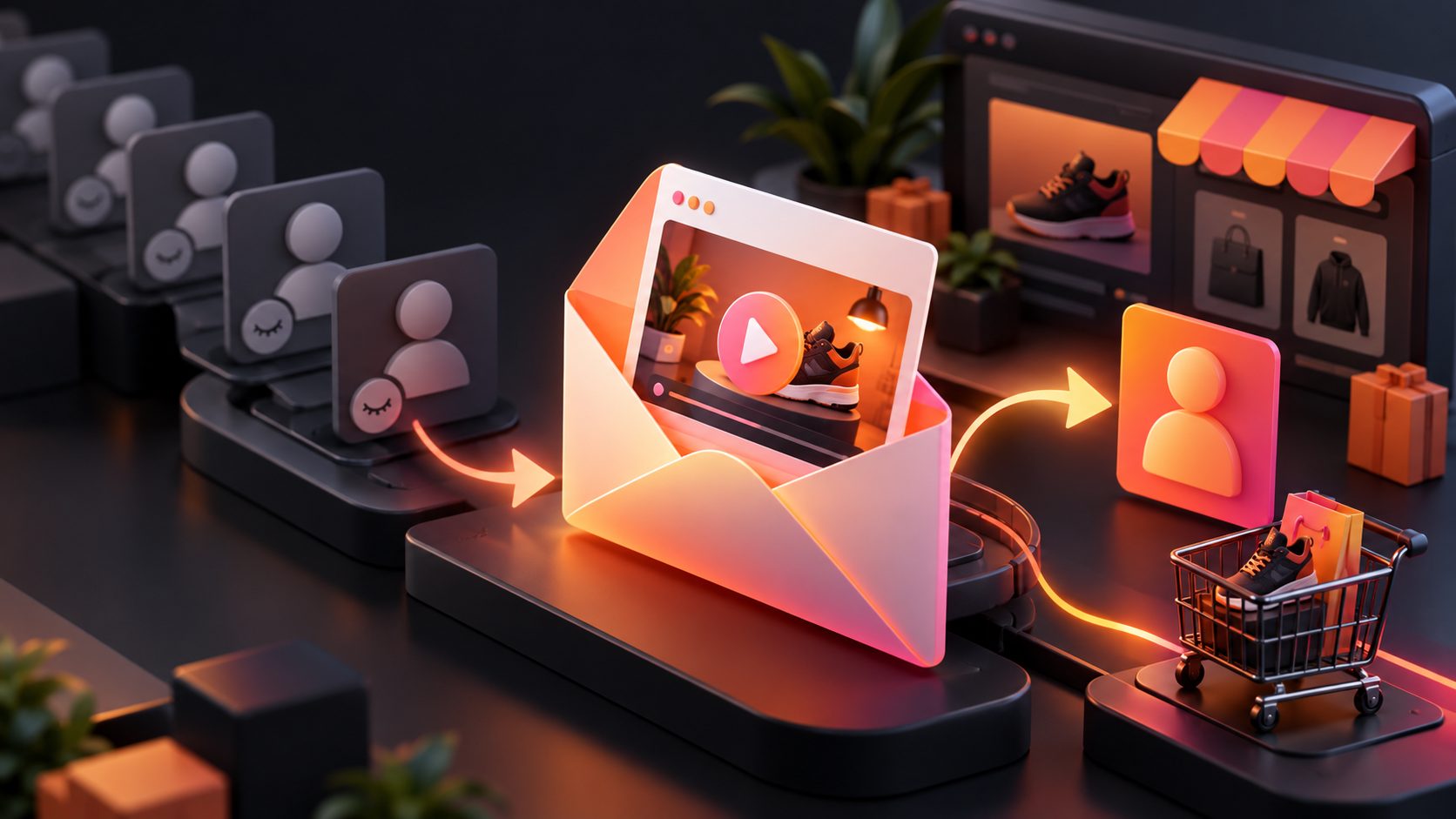
A dynamic video email for dormant customer winback is an email that changes its product message, offer, or video creative according to a customer’s previous purchase and recent inactivity. Instead of sending every lapsed buyer the same discount, the campaign reconnects each customer with a relevant product story.
For Shopify and other direct-to-consumer stores, this approach combines customer history, product imagery, short-form video, and automated email timing. The goal is not simply to remind someone that your store exists. It is to answer a more useful question: why should this particular customer return now?
What makes a dormant customer different from an abandoned cart visitor?
A dormant customer has purchased before but has not returned within the expected repurchase window. An abandoned-cart visitor showed recent intent but may never have completed a transaction. These audiences should not receive the same message.
Shopify describes a win-back automation as a marketing message sent after a specified period has passed since the customer’s last order. (help.shopify.com) The correct inactivity threshold depends on buying frequency:
- Fast replenishment products: 30–60 days
- Seasonal or fashion products: 90–180 days
- Durable goods: 180–365 days
- High-consideration products: use product interest and browsing signals alongside purchase timing
A practical rule is to define dormancy as 1.5 to 2 times the normal reorder interval, rather than choosing an arbitrary 90-day window. This prevents early discounts for customers who are still within their normal buying cycle.
How should dormant buyers be segmented before video production?
Segment customers by the reason they might return, not only by the number of days since their last order. A useful winback structure has four groups:
| Segment | Customer signal | Video angle | Primary CTA |
|---|---|---|---|
| Replenishment | Bought a consumable or repeat-use item | Product restock, use case, or routine | Reorder |
| One-time buyer | Purchased once and never returned | New product or complementary item | Explore the collection |
| High-value lapsed buyer | Multiple orders or high average order value | Personal recognition and premium product story | See what is new |
| Product-specific lapse | Bought a product with updated features or variants | Demonstration of what changed | View the update |
This segmentation adds more value than a generic “We miss you” email because it links the creative to a customer’s prior behavior. A person who bought a phone case should not necessarily see the same video as someone who purchased a skincare accessory or home product.
Exclude recent purchasers, active customer-service cases, refunded orders, and customers who have opted out of marketing. A winback flow should also include a suppression rule after repeated non-engagement to protect list quality.
How do you create the dynamic product video?
The video should show a reason to return within the first few seconds. A useful structure is:
- Recognition: Refer to the customer’s previous category or product.
- Change: Show a new color, bundle, improvement, use case, or seasonal relevance.
- Proof: Demonstrate the product rather than relying only on claims.
- Next step: Send the viewer to one focused product or collection page.
For example, a customer who previously bought a travel accessory could receive a 10–15 second video showing the original product in a new travel setup, followed by a related accessory or refreshed bundle. The email copy can remain short because the video carries the visual explanation.
AdsTurbo Product Video accepts JPG or PNG product images and can generate UGC-style product review, introduction, or demonstration videos. For the strongest input, use a clear product photo on a plain background and provide the main selling points or promotion. AdsTurbo Product Image can also analyze product shape, color, and category before producing multiple ecommerce image variations.
For proof-led creative, use a product demonstration rather than a purely aesthetic montage. Examples include a comparison, setup sequence, close-up detail, before-and-after visual, or short explanation of a new variant.
How should video work inside an email?
Most email clients do not provide a consistent experience for autoplay video. The safest implementation is to use a clickable video thumbnail or animated preview that links to a hosted landing page, product page, or video destination.
Build the email block with:
- A static thumbnail showing the product and a clear play button
- A short headline that matches the video’s opening message
- One primary CTA
- Alt text for accessibility
- A fallback image and plain-text explanation
- Tracking parameters that identify the winback segment and creative version
Keep the thumbnail understandable without sound. If the recipient never plays the video, the image should still communicate the product, benefit, and action.
The email should not depend on personalization tokens alone. A first name can fail or look artificial; a previous category, product type, or relevant use case is usually more persuasive. Personalization should change the creative decision, not just insert a name into the subject line.
What is the recommended Shopify winback email sequence?
A three-message sequence is usually easier to control than one aggressive discount email. The following SOP balances relevance, urgency, and deliverability:
Email 1: Relevance before incentive
Send when the customer reaches the dormancy threshold. Show a video connected to the last purchase or category. Use a subject line such as:
- “A better way to use your [product category]”
- “Something new for your next [use case]”
- “Your last [product category] has an update”
The CTA should lead to the most relevant product or collection, not the homepage.
Email 2: New reason to return
Send approximately 5–10 days later if there is no purchase or meaningful click. Change the video angle rather than resending the same creative. Introduce a new product, bundle, color, use case, or customer proof point.
Email 3: Clear final choice
Send another 5–10 days later. A limited incentive may be appropriate, but it should not be the only reason to return. Include a preference or unsubscribe option so uninterested recipients can reduce future messages.
Common winback guidance recommends a sequence that begins with relevance, then increases urgency or incentive. Mailchimp also emphasizes reviewing the customer’s previous behavior instead of sending one message to every inactive contact. (mailchimp.com)
How should the campaign be measured?
Open rate is not enough to judge a video winback campaign. Track the funnel in this order:
- Delivered rate: Were messages accepted by the mailbox provider?
- Click-to-open rate: Did the email content create interest?
- Video thumbnail click rate: Did the creative earn attention?
- Product-page session rate: Did the click reach a relevant destination?
- Purchase rate: Did the customer return?
- Revenue per recipient: Did the campaign create profitable recovery?
- Unsubscribe and complaint rate: Did the campaign damage list quality?
Use a holdout group whenever possible. For example, divide an eligible segment into a video group, a static-image group, and a control group. Compare revenue per recipient rather than only conversion rate, because discounts can increase orders while reducing margin.
A simple test matrix is:
- Same audience, video versus static image
- Same video, personalized product versus bestseller
- Same creative, incentive versus no incentive
- Same offer, 10-second video versus 20-second video
This isolates whether the lift comes from the video, the recommendation, or the discount.
How can AdsTurbo support the creative workflow?
AdsTurbo supports product video generation, ad cloning, video subtitles, background replacement, AI upscaling, and multilingual video translation. These functions can help a store turn one product asset into several controlled winback variations.
For example, a team can:
- Generate a product demonstration from a JPG or PNG product image
- Adapt the same concept for different customer segments
- Add subtitles formatted for short-form social viewing
- Translate a winning video for regional campaigns
- Improve low-resolution legacy product footage
- Use Ad Clone to analyze a reference ad’s structure, pacing, and CTA logic before creating a new version
For larger catalogs, AdsTurbo provides API access with REST authentication using a Bearer API key. Its video generation API includes endpoints for shot analysis, lip sync, watermark removal, translation, upscaling, face swap, motion control, and subtitles. All generation tasks run asynchronously, with completion available through status polling or webhook callbacks.
A related creative workflow is the bulk product catalog video ad process, which is useful when the winback campaign needs many product-specific variations rather than one universal video.
Frequently asked questions
Should the first winback email include a discount?
Not necessarily. Start with relevance and product value. Test an incentive in the second or third message, especially for high-margin products or customers with strong historical purchase value.
How long should the winback video be?
Use the shortest version that explains the return reason. A 10–20 second product video is often easier to consume than a long brand story, but the right length should be tested against click and purchase data.
Can a product image become a winback video?
Yes. AdsTurbo Product Video supports JPG and PNG product uploads and can create product review, introduction, and demonstration videos. A clear photo on a plain background generally gives the workflow better visual input.
Should the video be embedded directly in the email?
Use a clickable thumbnail or animated preview as the dependable default. This preserves compatibility across email clients and gives the landing page space to complete the product explanation.
What if a customer does not engage after the sequence?
Stop sending the same winback flow indefinitely. Move persistent non-responders to a lower-frequency segment or preference campaign, and protect deliverability by respecting unsubscribes and complaints.