PR package unboxing video maker AI: A DTC Brand Guide

Summarize with
Summary
Learn how to use a PR package unboxing video maker AI to plan reveal shots, creator-style scripts, product proof, and localized ad variants. Start building.
By adsturbo.ai | Published 2026-11-03 | Updated 2026-11-03
A PR package unboxing video maker AI helps DTC brands turn product, packaging, and campaign details into creator-style reveal videos without coordinating a new shoot for every market or variation. The strongest workflow does more than show a box opening: it makes the contents easy to understand, connects each item to a product benefit, and ends with a clear next action.
For overseas ecommerce brands, the challenge is not simply generating an attractive clip. It is keeping the product accurate while testing different hooks, presenters, languages, aspect ratios, and calls to action.
What is an AI PR package unboxing video maker?
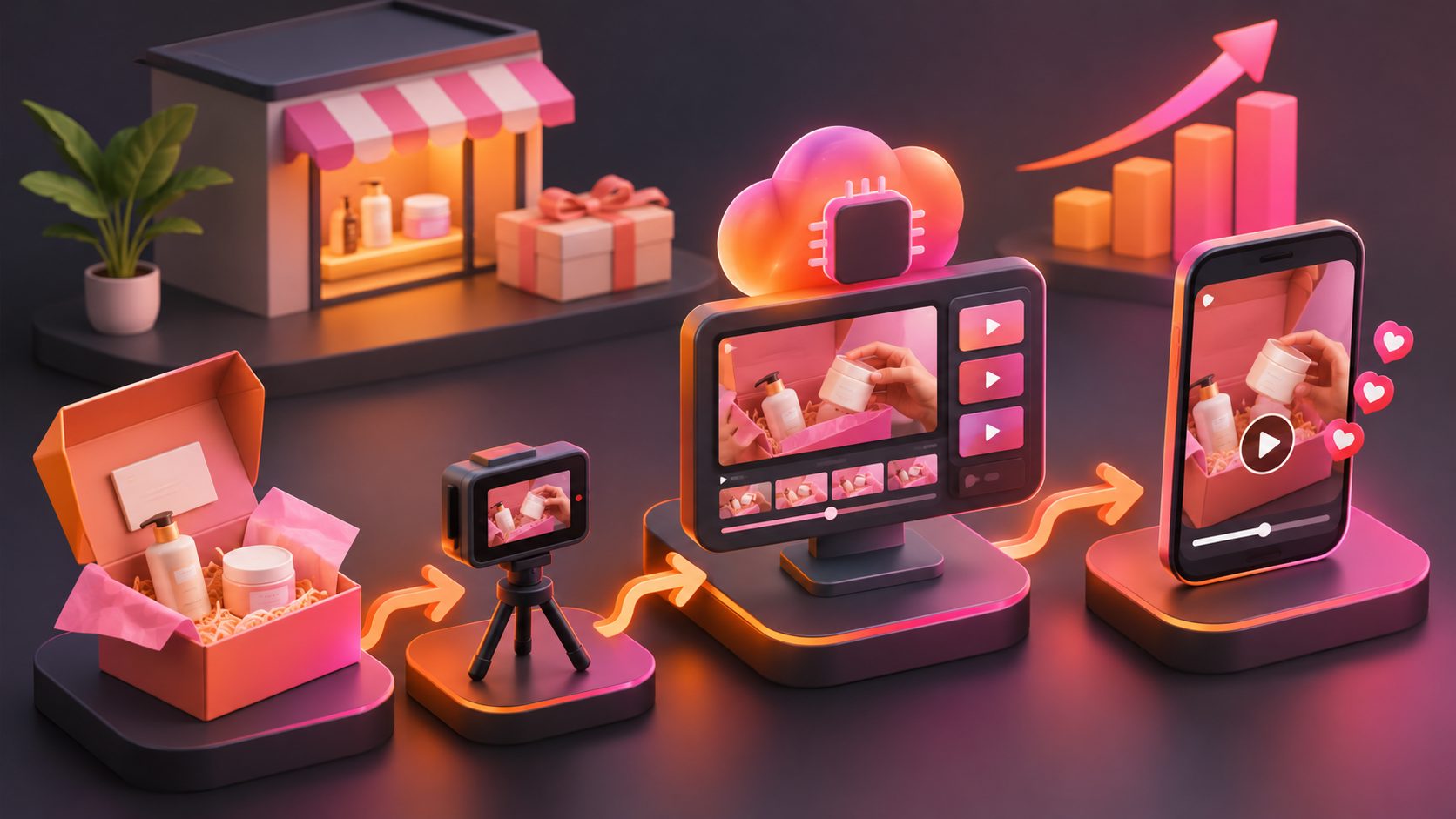
An AI PR package unboxing video maker is a workflow that creates short-form product reveal content from product images, packaging references, scripts, or creator-style directions. It can simulate the sequence of opening a PR box, revealing its contents, inspecting details, and introducing the product’s main selling point.
A useful unboxing video typically follows this order:
- Anticipation: Show the sealed package and establish why it matters.
- Reveal: Open the box in a visually clear sequence.
- Inventory: Present the main product, accessories, inserts, and special packaging.
- Proof: Show a texture, feature, use case, or detail that supports the claim.
- Reaction: Add a first impression without presenting it as a long-term review.
- CTA: Direct viewers to learn more, shop, join a launch, or claim an offer.
This structure is consistent with the common creator-style formats appearing across AI video tools: first-person reveals, close-up product shots, presenter reactions, and short paid-social edits. (clone.me)
Why PR package videos are different from ordinary product ads
A standard product ad starts with the benefit. A PR package video starts with discovery. That difference changes the pacing and the information hierarchy.
A product ad may say, “This serum hydrates dry skin.” A PR box video might first show a branded mailer, tissue paper, a thank-you card, the product bottle, and a close-up of the texture. Only then does it connect the product to hydration.
This makes the format useful for:
- New product launches
- Influencer seeding campaigns
- Seasonal gift boxes
- Subscription-box announcements
- Limited-edition packaging
- Cross-border market testing
- TikTok, Instagram Reels, YouTube Shorts, and paid social creative
The packaging is not decorative background. It is part of the opening hook. Viewers want to know what arrived, what is included, and whether the experience feels worth sharing.
For a broader production workflow, an ecommerce product video guide for Shopify sellers can help connect short-form creative with product education and customer communication.
The Reveal-Proof-Variation framework
A practical way to plan PR package content is the Reveal-Proof-Variation framework. It adds a performance-marketing layer to the usual unboxing sequence.
1. Reveal: Make the first three seconds legible
The opening should show one clear action:
- Cutting the seal
- Pulling back branded tissue paper
- Lifting the product from the box
- Revealing several products at once
- Holding the hero item toward the camera
Avoid opening with a wide shot where the package, hands, and background compete for attention. The viewer should understand the action immediately, even with sound off.
2. Proof: Give every item a job
Do not list package contents without context. Assign each visible item a purpose:
| Package element | Viewer question | Useful visual proof |
|---|---|---|
| Hero product | What is it? | Front-facing close-up |
| Accessory | Why is it included? | Demonstrate placement or use |
| Insert card | What should I do next? | Show QR code, offer, or instructions |
| Texture or finish | Does it feel premium? | Macro shot or slow handling |
| Bundle item | What is the total value? | Flat lay of the complete set |
3. Variation: Change one variable at a time
The most efficient testing plan is not to redesign every video. Keep the package reveal and product proof stable, then vary one creative input:
- Hook line
- Presenter identity
- Voiceover language
- Reaction style
- Product order
- Offer or CTA
- Background setting
- Caption treatment
This creates a cleaner comparison than changing the script, visuals, and offer simultaneously. It also makes one PR package asset easier to adapt for several audiences.
How to write a PR package unboxing script
A strong script should sound like a first impression, not a catalog description. Keep the language specific and avoid claims the footage cannot support.
20-second script template
0–3 seconds — Hook
“Look what just arrived from [brand]. The packaging alone is worth a closer look.”
3–7 seconds — Opening
“Inside the box, there is [item one], [item two], and the main product.”
7–13 seconds — Product focus
“The detail I noticed first is [visible feature]. It is designed for [specific use case].”
13–17 seconds — Experience
“The presentation feels [descriptive adjective], while the product itself is easy to [demonstrate action].”
17–20 seconds — CTA
“See the full collection at [destination] and check out the launch offer.”
For a more authentic creator voice, replace polished adjectives with observable details. “The cap clicks firmly into place” is stronger than “premium quality” when the viewer can see and hear the action.
AdsTurbo Product Video supports JPG or PNG product uploads and can generate UGC-style product videos from product images, optional selling points, and promotional information. The platform also provides more than 300 AI actors and over 100 product-ad templates, which can support presenter and format variation. Use a clean product photo with a solid background when possible.
Inputs that improve generated unboxing videos
The quality of the source package determines how much visual correction is needed later. Prepare:
- A clear product photo
- Packaging photos from the front and top
- A list of every item included
- Three verified product benefits
- The target audience and market
- The offer, discount, or launch date
- The preferred platform and aspect ratio
- A short brand voice description
AdsTurbo Product Image can analyze a product’s shape, color, and category. It also supports JPG and PNG uploads, nine output ratios, and product-image variations such as hero banners, lifestyle images, detail shots, and instruction visuals.
For promotion-heavy launches, an ecommerce campaign poster guide can help extend the same package concept into social, display, email, and print formats.
Localizing one PR package across markets
Localization should change more than subtitles. A US launch may emphasize gifting and convenience, while another market may prioritize ingredients, craftsmanship, bundle contents, or delivery timing.
A practical localization workflow is:
- Keep the product and package visuals constant.
- Translate the script and on-screen text.
- Adjust the presenter, accent, and reaction style.
- Replace market-specific offers or legal copy.
- Review product names, measurements, and discount terms.
- Export platform-specific versions.
AdsTurbo provides video translation, lip sync, character replacement, subtitles, and resolution enhancement. Its Video Subtitle workflow can generate synchronized captions, export a video with embedded subtitles, or provide a separate subtitle file. This is useful when the same unboxing concept needs versions for multiple regions.
If the original footage is long, a long-video-to-short-video workflow can help turn a full package reveal into shorter vertical edits for different placements.
Common mistakes to avoid
Showing the box but not the product
Packaging creates curiosity, but the product must appear early enough to reward it. Use the reveal to lead into a close-up, demonstration, or detail shot.
Inventing contents
AI-generated scenes can add accessories or alter labels. Compare each output with the real package contents before publishing.
Treating a first impression as a review
An unboxing shows an early experience. Avoid claims about durability, long-term results, or performance that the video cannot prove.
Overloading the screen with text
Keep one message per shot. If the package includes multiple products, use sequential captions or a clean inventory shot instead of placing every specification on screen.
Testing only one version
A polished video is not automatically the strongest ad. Create variations in the first line, presenter, product order, and CTA while preserving the core product proof.
Frequently asked questions
Can AI create a PR unboxing video from one product image?
It can create a product-focused concept from a single image, but packaging-specific scenes are more accurate when you provide clear photos of the box, inserts, and included items. A single packshot is better suited to hero reveals, product demonstrations, or lifestyle scenes.
Should a PR package video use a real creator?
Not always. AI actors, voiceover, captions, and faceless hands-on formats can support early creative testing. For paid campaigns, review the output carefully and avoid presenting simulated reactions as verified customer testimonials.
What aspect ratio works best?
Start with 9:16 for TikTok, Reels, and Shorts. Then adapt the strongest concept into square or landscape versions when the placement requires it. AdsTurbo Ad Clone supports 9:16, 1:1, and 16:9 output formats for reference-based ad variations.
How can brands make unboxing content feel less generic?
Anchor every scene to a real package detail: the opening mechanism, included item, material, product texture, insert card, or launch offer. Specific physical details usually feel more credible than exaggerated reactions.
Can one unboxing concept support multilingual campaigns?
Yes. Keep the visual sequence consistent, then localize voiceover, lip sync, subtitles, presenter style, and CTA wording for each market. This creates a reusable creative system rather than a one-off video.