Shopify Product Page Sizing Video: Turn Size Charts Into Fit Guides

Summarize with
Summary
Learn how to turn a static apparel size chart into a Shopify product page sizing video with model fit, motion, captions, and practical setup steps. Build clearer buyer guidance with AdsTurbo.
By adsturbo.ai | Published 2026-11-01 | Updated 2026-11-01
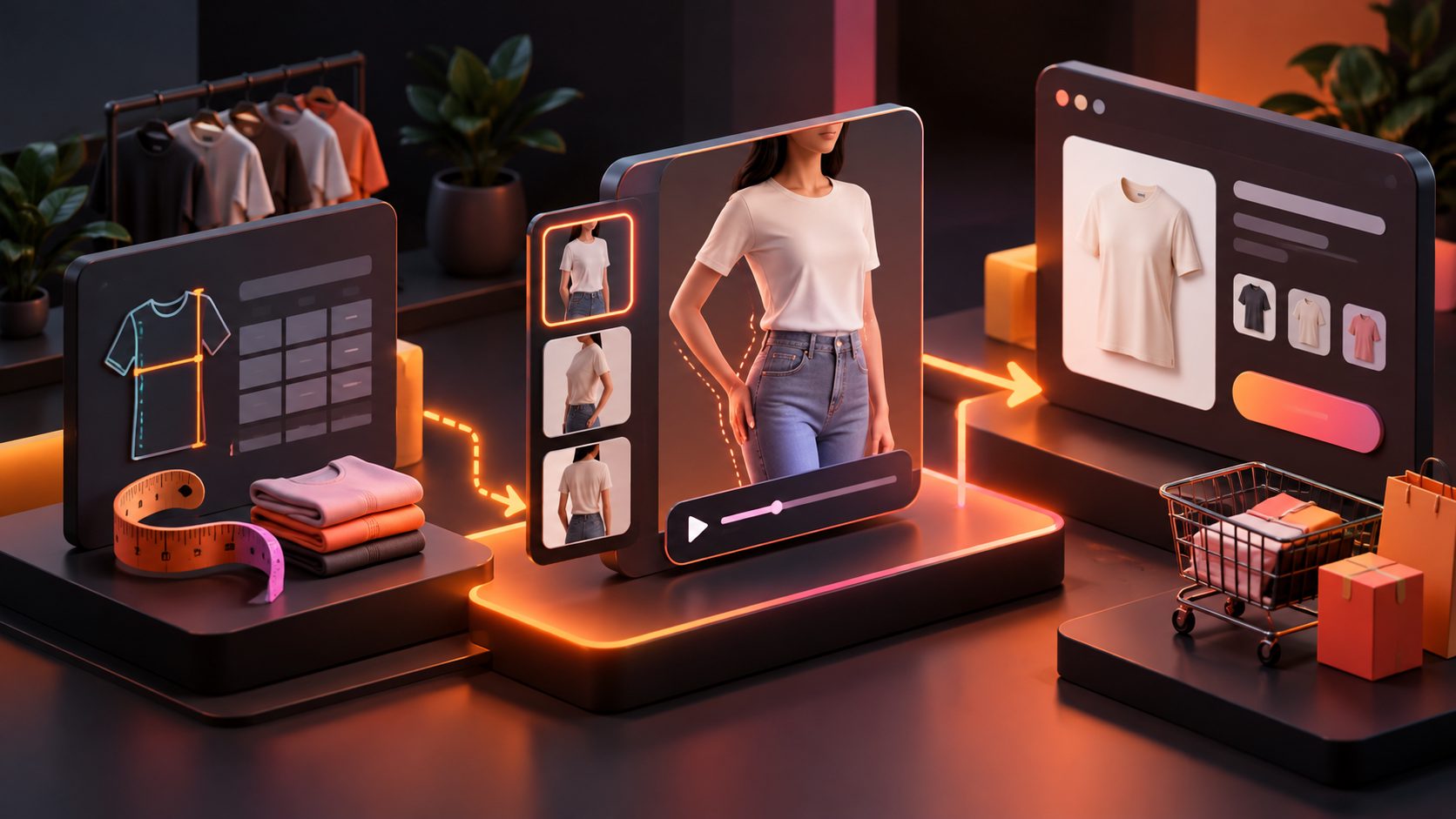
A Shopify product page sizing video turns measurements into something shoppers can visualize: a model’s proportions, the garment’s movement, and the difference between sizes. Instead of replacing a size chart, it gives the chart context and helps customers make a more confident choice before adding an item to the cart.
Shopify supports product-page videos, images, slideshows, and product-specific templates. Its documentation also shows that merchants can assign different templates to products that need a size chart or style guide. (help.shopify.com)
What is a Shopify product page sizing video?
A Shopify product page sizing video is a short visual guide that explains how an apparel product fits on a real or simulated body. It combines a model’s height and measurements with front, side, and movement views, then connects those visuals to the written size chart.
The strongest version answers four questions quickly:
- What size is the model wearing?
- What are the model’s height and key measurements?
- How does the garment fit while standing and moving?
- What should a shopper compare with their own measurements?
A static chart tells customers whether a garment measures 28 inches at the waist. A video helps them understand whether that measurement looks fitted, relaxed, cropped, oversized, or restrictive in motion.
This distinction matters because many clothing returns are caused not only by incorrect measurements, but also by a mismatch between the shopper’s expected silhouette and the product’s actual fit.
Why a dynamic fit video is more useful than a size chart alone
A size chart is precise, but it is abstract. A model is intuitive, but without measurements, the visual can be misleading. Combining both creates a stronger decision aid.
Shopify’s product-page guidance recommends clear size options, original product content, multiple product views, and video when movement or construction affects the buying decision. (shopify.com)
A sizing video can clarify details that a table usually cannot:
- Whether the shoulders sit naturally or feel narrow
- Whether fabric clings, drapes, stretches, or holds its shape
- Whether a skirt rises during walking
- Whether sleeves reach the wrist or stop above it
- Whether the garment looks cropped, regular, or long on the model
- Whether the product is designed for a close, standard, or relaxed fit
The goal is not to promise that every shopper will choose correctly. The goal is to reduce avoidable uncertainty by showing the garment under conditions that resemble real use.
The best structure for a clothing sizing video
A practical sizing video should usually be short, silent-friendly, and easy to scan on mobile. A useful structure is:
1. Start with the fit label
Open with a clear statement such as:
“Model is 5'8", wearing size S. This style has a relaxed fit.”
This first frame gives shoppers an immediate reference point. Avoid opening with a logo animation or a slow cinematic shot that delays the sizing information.
2. Show the front, side, and back
Use steady, full-body framing. The front view shows proportions, the side view reveals volume and length, and the back view can expose pulling, bunching, or oversized shaping.
For fitted products, include a slow turn. For active or flexible garments, add a few natural movements such as walking, bending an arm, or sitting.
3. Connect movement to garment behavior
Do not simply show a model walking. Explain what the viewer should observe:
- “The fabric stretches across the hips.”
- “The hem remains above the knee while walking.”
- “The waistband sits at the natural waist.”
- “The sleeve opening stays close to the arm.”
These statements convert motion into useful product information.
4. Return to the measurement reference
End with the size chart and a simple instruction:
“Compare your body measurements with the chart. If you are between sizes, review the fit notes before choosing.”
The video should support the chart, not replace it. Measurements must remain available as text for accessibility, comparison, and quick scanning.
A practical “Fit Proof” framework for each video
Most sizing-video guides focus on filming or uploading. A more useful approach is to score the video before publishing it. The following Fit Proof framework checks whether the video actually reduces sizing uncertainty.
| Fit Proof element | What the video should show | Common weakness |
|---|---|---|
| Reference | Model height, size worn, and key measurements | A model appears without context |
| Shape | Front, side, and back views | Only a flattering front pose |
| Motion | Walking, turning, sitting, or arm movement | Static posing only |
| Fabric | Stretch, drape, thickness, or structure | Generic claims such as “comfortable” |
| Comparison | Clear connection to the size chart | Chart is shown but never explained |
| Conditions | Realistic lighting and accurate garment color | Heavy filters hide the true fit |
A video does not need elaborate production to pass this framework. It needs evidence. If a shopper cannot tell how the garment behaves when the body moves, the video is closer to a fashion ad than a sizing guide.
This is an original editorial standard rather than a Shopify requirement. It helps merchants distinguish between content that looks attractive and content that answers a purchase question.
How to create the video from static assets
You can build a useful fit video even when you only have product photography, a size chart, and a reference clip.
Step 1: Prepare accurate product inputs
Use a clear product image, preferably with a simple background. Confirm the garment’s measurements, available sizes, fit description, model details, and fabric notes before creating visuals.
If you need supporting product imagery, AdsTurbo Product Image accepts JPG and PNG product images and can generate multiple image types, including banners, lifestyle scenes, close-ups, material details, usage illustrations, and brand visuals.
Step 2: Choose the right visual sequence
A reliable sequence is:
- Fit statement
- Model reference
- Front view
- Side view
- Movement view
- Detail close-up
- Size-chart reminder
Keep each shot focused on one question. Too many transitions can make the video feel like an advertisement and hide the information shoppers need.
Step 3: Add readable captions
Many product-page videos are watched without sound. Use large, high-contrast captions for:
- Model height
- Size worn
- Fit type
- Stretch level
- Garment length
- Sizing recommendation
AdsTurbo Video Subtitle can automatically transcribe speech, generate synchronized captions, translate them, and export either a captioned video or a separate subtitle file.
For broader localization, AdsTurbo also supports video translation, allowing one sizing concept to be adapted for different markets without rebuilding the entire creative from scratch.
Step 4: Edit for the product page
A product page needs clarity before spectacle. Remove long intros, unnecessary transitions, and unsupported claims. Use a strong poster frame because shoppers may see the thumbnail before playback.
For a lightweight workflow, create a concise primary clip and place the full size chart directly below or beside it. Shopify supports product media and product-specific page templates, but the exact display depends on the theme and storefront configuration. (help.shopify.com)
For a broader creative workflow, see this guide on turning product photos into video ads. It is useful when the same product assets must support both product pages and acquisition campaigns.
How to place the sizing video on Shopify
The video should appear close to the product images, size selector, or size-guide link. Avoid hiding the only fit explanation deep inside a long description.
A practical page layout is:
- Product images and sizing video near the top
- Size selector directly below the core product information
- A visible “View size guide” link or popup
- Fit notes near the add-to-cart area
- Returns information where shoppers can see it before checkout
Shopify’s size-chart documentation describes using product metafields and product templates to display the correct chart for specific products. This is especially useful when dresses, denim, tops, and outerwear each use different measurement logic. (help.shopify.com)
Use the video as the visual layer and the chart as the structured reference layer. Do not place one generic sizing video across products with different cuts or measurement systems.
Common questions
Should a sizing video replace the size chart?
No. Keep the written chart. The video explains visual fit and movement, while the chart provides exact measurements that shoppers can compare.
How long should a Shopify sizing video be?
Use the shortest length that answers the fit questions. A compact sequence of reference, views, movement, and chart guidance is usually more useful than a long fashion film.
What if there is no model footage?
Use clear product imagery, an accurate fit description, and a simple animated measurement sequence. Avoid implying that an AI-generated model represents every body type.
Should the video include sound?
It can, but it should not depend on sound. Captions should carry the essential information, especially model measurements and fit guidance.
Can one sizing video be reused for ads?
Yes, but edit separate versions for different placements. A product-page version should prioritize fit clarity, while an ad version may prioritize the hook, product benefit, and call to action. AdsTurbo can support product video creation, ad cloning, subtitles, translation, and multiple creative variations from shared assets.
Final checklist before publishing
Before adding the video to a Shopify product page, confirm that it:
- Identifies the model’s height and size worn
- Shows front, side, and back views
- Demonstrates at least one natural movement
- Explains fit using specific language
- Matches the written size chart
- Uses readable captions
- Preserves accurate garment color
- Loads quickly enough for mobile shoppers
- Appears near the size selector or size-guide link
- Is specific to the product’s cut and measurement system
A strong Shopify product page sizing video is not simply a moving product photo. It is a compact fit explanation. When the visual reference, movement evidence, and measurement chart agree, shoppers have a clearer basis for choosing a size—and merchants have a more useful product-page asset.