Unboxing Instruction Manual Video QR Code Generator: A Practical Ecommerce Guide

Summarize with
Summary
Learn how to turn paper manuals into scannable unboxing and setup videos, with a practical workflow for ecommerce sellers. Start planning better tutorials.
By adsturbo.ai | Published 2026-10-31 | Updated 2026-10-31
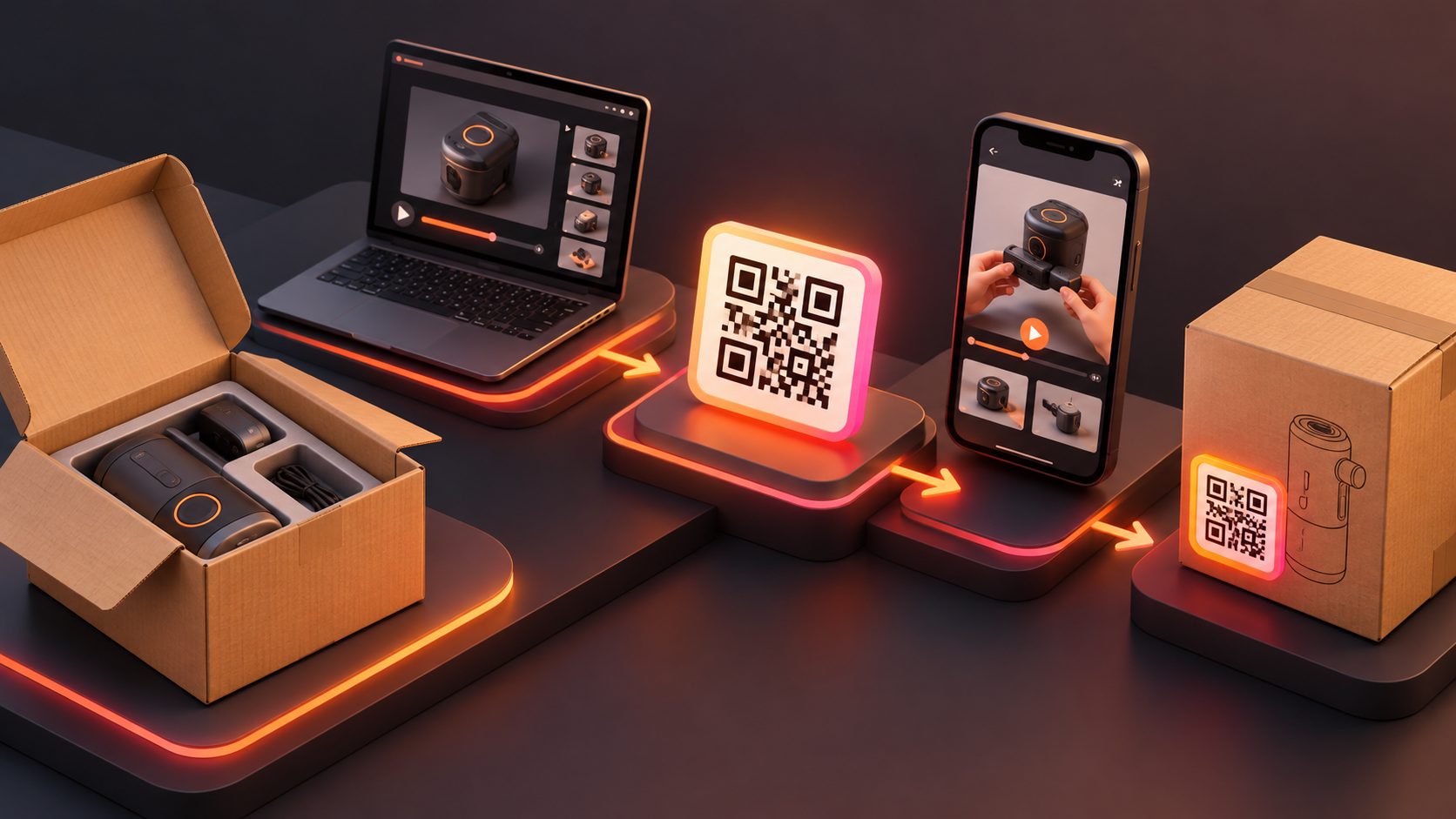
A unboxing instruction manual video qr code generator helps ecommerce sellers turn printed setup instructions into short, scannable video tutorials. Instead of asking buyers to interpret diagrams or search a support page, a QR code on the insert, packaging, or manual can open the exact unboxing, assembly, or usage step they need.
For products with multiple parts, charging steps, installation requirements, or common setup mistakes, this approach connects the physical package to a visual support experience. The goal is not to replace every part of the written manual. It is to make the most error-prone steps easier to understand.
What is a product manual video QR code?
A product manual video QR code is a scannable code that directs customers to a video showing how to unpack, assemble, install, or use a product. The code normally points to a web video page rather than storing the video itself.
A useful implementation has four parts:
- A short instructional video focused on one customer task.
- A stable destination URL that can be updated if the video changes.
- A QR code printed at a readable size with sufficient contrast.
- A clear label, such as “Scan to watch the setup guide.”
Existing product-manual QR implementations commonly link users to assembly, operation, maintenance, or FAQ content. Some also combine a video guide with a downloadable PDF manual, which is more useful than sending every customer to a generic homepage. (qrspider.com)
The strongest setup is usually not one long “everything” video. It is a small library of task-based clips: unboxing, first-use setup, cleaning, troubleshooting, and replacement-part guidance.
Why convert paper instructions into unboxing videos?
Paper instructions are valuable for specifications, warnings, and complete reference information. However, they can be inefficient for actions that depend on orientation, timing, movement, or part placement.
A video can show:
- Which component to remove first
- How parts fit together
- Where a cable or filter belongs
- How much force is appropriate
- What the finished installation should look like
- Which mistakes to avoid before powering on
This is especially relevant for cross-border ecommerce. A single visual demonstration can reduce the amount of text that must be translated, while subtitles and voice tracks can support different markets.
A video QR code also gives sellers more flexibility than a fully static paper manual. If a step changes, the destination page can be updated without redesigning every insert—provided the printed code points to a controlled, editable URL. Dynamic QR workflows are commonly promoted for exactly this reason. (useqrkit.com)
How to create a QR-code instruction video
1. Choose the customer task before producing the video
Start with the question buyers ask after opening the box. Do not begin with “How can we show the whole product?” Begin with a specific task:
- “How do I assemble this?”
- “Which side faces upward?”
- “How do I connect it to power?”
- “How do I use the first setting?”
- “How do I clean it without damaging it?”
A practical rule is one QR destination per customer problem. If a product has five common setup questions, use a mobile landing page with five clearly labeled clips or place separate QR codes beside the relevant manual sections.
2. Build a visual script from the manual
Convert each written instruction into a repeatable shot structure:
- Show the parts needed.
- Show the starting position.
- Demonstrate the action closely.
- Show the correct result.
- Add a warning for the most likely mistake.
Keep on-screen wording short. For international buyers, use simple sentences such as “Insert the filter with the arrow facing up.” Avoid idioms, dense paragraphs, and instructions that depend only on narration.
AdsTurbo can support this production workflow with product image generation, product video creation, video subtitles, translation, and video editing tools. Its Product Video workflow accepts JPG or PNG product images and can generate product review, introduction, or demonstration-style videos. For the clearest product reference, a sharp product image on a plain-color background is preferred.
3. Add subtitles and localized versions
Instructional videos should remain understandable when audio is muted. Add large, high-contrast subtitles and keep each caption synchronized with the action.
AdsTurbo Video Subtitle can automatically transcribe speech, generate time-synced captions, and export either a video with embedded subtitles or a separate subtitle file. Its subtitle layouts are designed for formats used by TikTok, Instagram Reels, and YouTube Shorts, which can also be useful when repurposing support footage into short-form content.
For cross-border stores, create language versions only after the visual sequence is correct. Translating a confusing demonstration produces a confusing demonstration in another language. AdsTurbo also provides video translation and multilingual localization workflows for adapting existing footage.
4. Publish the video behind a stable destination
The QR code should not send buyers to a crowded social profile or a general store homepage. Send them to a mobile-first page where the video starts with a clear title, model reference, and next step.
A good destination page should include:
- Product name and model
- Video title, such as “Unboxing and First Setup”
- Playable video
- Written fallback instructions
- PDF manual link
- Support contact or troubleshooting path
The QR code is only the access layer. The destination content determines whether the experience is useful.
5. Test the printed code in real conditions
Before printing thousands of inserts, test the complete path:
- Scan from the distance customers are likely to use.
- Test both iPhone and Android camera apps.
- Check matte and glossy packaging surfaces.
- Test low indoor light.
- Confirm that the landing page works on mobile data.
- Verify the correct model and language.
- Scan after the insert has been folded or placed inside the box.
Do not evaluate only the QR image on a design screen. Test the actual printed material, because size, contrast, glare, and surrounding graphics can affect scanning reliability.
A five-point QA scorecard for ecommerce sellers
A simple internal scorecard can catch most failures before fulfillment:
| Check | Pass condition |
|---|---|
| Findability | The buyer can spot the QR code without searching the entire package |
| Scanability | The code scans quickly under normal indoor lighting |
| Relevance | The video matches the exact product model and task |
| Demonstration | Hands, parts, labels, and final position are clearly visible |
| Recovery | The page offers written steps or support if the buyer cannot complete the task |
This framework adds an important distinction: a scannable QR code is not automatically a usable instruction system. A code can scan perfectly and still fail if it opens the wrong language, hides the manual, or shows a demonstration that does not match the shipped version.
How AdsTurbo fits the workflow
AdsTurbo is useful when a seller needs to create the video assets around the manual, not merely generate a QR graphic.
Relevant capabilities include:
- Product videos from uploaded JPG or PNG product images
- Video subtitles and subtitle-file export
- Video translation for localized versions
- AI upscaling for improving low-resolution source footage
- Background replacement and AI editing tools
- Clip-by-clip editing for separating instructions into individual tasks
- API access for higher-level plans and custom workflows
For sellers starting with existing footage, the product manual QR code video workflow provides a closely related production direction. For broader buyer-question coverage, an ecommerce FAQ video generator workflow can help turn repeated questions into short explanatory clips.
All AdsTurbo generation tasks run asynchronously, with completion available through status polling or Webhook callbacks. That matters when a catalog team is generating multiple language versions or producing separate clips for many SKUs.
Common questions
Can a QR code link directly to an unboxing video?
Yes. The code can point to a video landing page or hosted video URL. A landing page is often better because it can include the written manual, model information, and support links alongside the video.
Should the QR code go on the box or inside the manual?
Use both when the first-use step is important. A box placement helps customers find the guide before opening the package; an insert placement lets you place the code beside a specific assembly or setup section.
Is one long video better than several short videos?
Usually not for support. Short, task-specific clips are easier to scan, translate, update, and reuse. A single overview video can still be useful as an optional starting point.
Can the same video be reused for advertising?
Yes, if the footage is clear and the customer-facing instructions do not include private support details. AdsTurbo can help repurpose product demonstrations into short videos, subtitles, translated versions, and ad variations. Keep support videos focused on accuracy; promotional edits should not remove essential safety or setup context.
What should the QR label say?
Use a direct instruction: “Scan for setup video,” “Watch the unboxing guide,” or “Scan for step-by-step instructions.” Avoid vague labels such as “Learn more,” which do not tell the buyer what will happen after scanning.
Final takeaway
A unboxing instruction manual video qr code generator is most valuable when it is part of a complete support workflow: identify the confusing step, record a precise demonstration, add readable subtitles, publish it behind a stable destination, and test the printed code on the real package.
For ecommerce sellers, the best result is not simply a newer manual. It is a faster path from opened box to successful first use—supported by visual instructions that can be localized, updated, and reused across product pages, customer support, and short-form content.